
2.1.3 HTML5 Canvas Global Composite Operations Tutorial

Posted on January 27th, 2011 by Eric Rowell
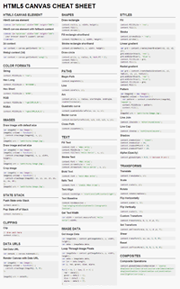
To perform a composite operation with HTML5 Canvas, we can use the globalCompositeOperation property of the canvas context. This property defines the composite operation between the source and destination states of the canvas. destination is defined as the canvas state preceding a composite operation. source is defined as the canvas state following a composite operation. We can perform one of 11 composite operations including source-atop, source-in, source-out, source-over, destination-atop, destination-in, destination-out, destination-over, lighter, xor, and copy. Unless otherwise specified, the default composite operation is source-over.
1
context.globalCompositeOperation=[value];

HTML5 Canvas Global Composite Operations Example


Open in new window
1
2
3
4
5
6
7
8
9
10
11
12
13
14
15
16
17
18
19
20
21
22
23
24
25
26
27
28
29
30
31
32
33
34
35
36
37
38
39
40
41
42
window.onload = function(){
    var squareWidth = 55;
    var circleRadius = 35;
    var rectCircleDistX = 50;
    var rectCircleDistY = 50;
 
    var operationArray = new Array();
    operationArray.push("source-atop"); // 0
    operationArray.push("source-in"); // 1
    operationArray.push("source-out"); // 2
    operationArray.push("source-over"); // 3
    operationArray.push("destination-atop"); // 4
    operationArray.push("destination-in"); // 5
    operationArray.push("destination-out"); // 6
    operationArray.push("destination-over"); // 7
    operationArray.push("lighter"); // 8
    operationArray.push("xor"); // 9
    operationArray.push("copy"); // 10
    // draw each of the eleven operations
    for (var n = 0; n < operationArray.length; n++) {
        var thisOperation = operationArray[n];
 
        var canvas = document.getElementById(thisOperation);
        var context = canvas.getContext("2d");
 
        var rectX = 10;
 
        // draw rectangle
        context.beginPath();
        context.rect(rectX, 0, squareWidth, squareWidth);
        context.fillStyle = "blue";
        context.fill();
 
        context.globalCompositeOperation = thisOperation;
 
        // draw circle
        context.beginPath();
        context.arc(rectX + rectCircleDistX, rectCircleDistY, circleRadius, 0, 2 * Math.PI, false);
        context.fillStyle = "red";
        context.fill();
    }
};

22 Comments

  1. Zee says:

    I think the result of “destination-in” should be a quarter-pie shape…

  2. Eric Rowell says:

    Which browser are you using? Currently, only Firefox 4 Beta supports all 11 composite operations. Chrome and Safari fall short.

  3. Zee says:

    I see. They are rendered dynamically – I was using chrome 10 on mac.

    I was able to get “destination-in” work correctly in chrome/safari by drawing into a temp canvas first, and use the temp canvas as the source.

  4. Eric Rowell says:

    Rock on! Give us a link so we can see what you did!

  5. fooblink says:

    hey erick great website i was wondering when i use the global alpha , its making my two canvas or elements transparent, i have an image and also a square , i want the square to be the only transparent, can you explain me how to achieve this? thanks i really appreciate it i am totally new at this!

  6. fooblink says:

    forgot to mention that i have tried to mixed with the globalCompositeOperation but still both items gets transparent .. thanks again

  7. Eric Rowell says:

    Sure, it would look something like this:

    context.drawImage(imageObj,x,y);

    // set transparency of rectangle to 50%
    context.globalAlpha=0.5;

    context.fillRect(x,y,width,height);

  8. Ok so I’m trying to do some combination of a few things.

    I need to have a linear gradient circle, with the center cut out, on top of an image that is clipped in a circle.

    I got the circle image clipped, I’m just struggling with getting the gradient ring on top to work. I can’t decide if using destination-out or just using .clip() is better. I’ve tried both and can’t get it to work right.

    Any suggestions?

  9. Eric Rowell says:

    @Jared – heya! I feel your pain. Unfortunately none of the browsers have really implemented composite operations correctly, and you’re only able to do one composite operation for the entire canvas! (that’s why this tutorial makes use of 11 different canvases) When they are working correctly in the future, however, you’re right, you’d want to use a destination-out operation to cut out a circle.

    For the time being, the only solution that I know of at the moment is to create a secondary buffer canvas, use the destination-out operation to cut a circle out of another circle and then copy the result onto the canvas you’re drawing on. When I get a chance, I’ll create a tutorial that covers this technique since it’s definitely something that a lot of us have struggled with.

  10. JimHendriks says:

    Which program do you use for this?

  11. Eric Rowell says:

    @JimHendriks not sure I follow. If you’re referring to this website, I’m using WordPress

  12. JimHendriks says:

    @Eric Sorry for being unclear, I would like to know what program you use for making your HTML5 creations. In what program are you typing the code?

  13. Eric Rowell says:

    @JimiHendriks nothing special, I usually use Eclipse or Aptana so I can get code coloring, code formatting, and Javascript validation. Sometimes I use notepad++ :)

  14. JimHendriks says:

    Thanks for your reply. I am using Aptana too and wanted to know if this is a common program developers use.

    One more question, not sure if it belongs in this tutorial, but any change of an upcoming tutorial on how to make an old school Snake game? That would be fantastic!

  15. Eric Rowell says:

    @Jim Aptana is nice.

    I don’t have plans at the moment to create any small games because I’ve been so busy with KineticJS. Maybe you could create one and post it here? :)

  16. Joel says:

    Eric! Great site!!! You seem to be missing one “darker”
    (The Mozilla dev site here: [https://developer.mozilla.org/en/Canvas_tutorial/Compositing] says it’s Unimplemented. (If that’s even a word!)

  17. Eric Rowell says:

    @Joel yes, although you’d intuitively think that there should be a darker composite operation since there’s a lighter composite, it’s actually not in the HTML5 spec:

    http://www.whatwg.org/specs/web-apps/current-work/multipage/the-canvas-element.html

    I do believe that some browsers have added / dropped support for it, but since it’s not in the spec, I haven’t added it to this tutorial :)

  18. Michael G says:

    Great tutorial. I’m trying to erase an image by “xor”ing it with itself, which almost works, but it leaves an outline of the image. Any idea why?

    Thanks.

  19. Eric Rowell says:

    @Michael what do you mean by “outline”? Do you mean that a 1px perimeter of the image is still visible?

    Could you show us a jsfiddle demo?

  20. Michael G says:

    Yes, that’s precisely it. Basically an Asteroids-style game. When the ship gets destroyed, I’m having the pixels blow apart, but I want to do it without redraw/clearRect flickering. So I’m xor-ing every old image of the ship against itself, then drawing the new (exploding) image.

    I’ll look into jsfiddle, but for now, can you tell me if there’s anything basically wrong with these few lines of code?:

    //xor-out the old, less exploded image of the ship

    hiddenContext.putImageData(oldImageData,this.x,this.y);
    visibleContext.globalCompositeOperation = “xor”;
    visibleContext.drawImage(hiddenCanvas,0,0);
    visibleContext.globalCompositeOperation = “source-over”;

    //save the new image data for the next loop
    oldImageData = newImageData;

    //draw the new, slightly more ‘exploded’ image of the ship
    hiddenContext.putImageData(newImageData,this.x,this.y);
    visibleContext.drawImage(wCanvas,0,0);

  21. andy says:

    Does Kinetic JS have this property?

  22. Eric Rowell says:

    @Andy not yet, and I’m not sure if it will. Composite operations are used to create very specific shapes and effects. I think it makes more sense for them to be used with custom shapes. More on that here:

    http://www.html5canvastutorials.com/kineticjs/html5-canvas-kineticjs-shape-tutorial/

    Thoughts?

Leave a Comment